
Migrating from 100G to 400G: The Network Engineer’s Guide to Breakout Cables & Port Mapping
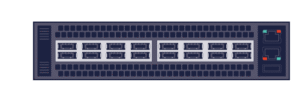
You’ve finally upgraded your core network. You have a new, high-density switch populated with 400G QSFP-DD ports. It’s future-proof, high-speed, and ready for AI workloads.
There’s just one problem.
Your server racks are still full of machines with 100G QSFP28 network cards (NICs). You can’t justify ripping and replacing hundreds of perfectly good servers, but you need to connect them to your new core.
This is the most common challenge in modern data center upgrades: The Interface Gap.
The solution lies in Breakout Mode. In this guide, we’ll explain how to split a 400G signal into four 100G connections, the specific cabling you need, and the critical “NRZ vs. PAM4” modulation trap that catches many engineers off guard.
Quick Summary:
- The Goal: Connect legacy 100G servers to new 400G switches without replacing the servers.
- The Method: “Breakout” cabling splits one 400G port (8 lanes) into four 100G ports (2 lanes each).
- The Risk: Incompatible signal types (NRZ vs PAM4) can prevent links from coming up.
The Solution: What is 400G Breakout Mode?
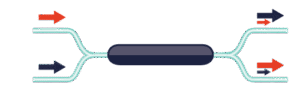
In the world of high-speed Ethernet, “Breakout” (or fan-out) allows you to utilize the massive bandwidth of a single high-speed port by splitting it into several lower-speed logical ports.
- A standard 400G QSFP-DD port consists of 8 electrical lanes running at 50G each.
- A standard 100G QSFP28 port consists of 4 electrical lanes running at 25G each.
Through breakout cabling and switch configuration, you can channelize one physical 400G port into four independent 100G links (4x100G). This effectively turns a 32-port 400G switch into a massive 128-port 100G switch, offering incredible density for connecting legacy servers.
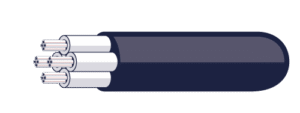
The Visual: The “Octopus” Cable
Imagine a cable that looks like a simplified octopus:
- End A: A single, large connector (QSFP-DD) that plugs into your 400G switch.
- End B: Four smaller connectors (QSFP28) that plug into four separate 100G servers or switches.
The “Gotcha”: NRZ vs. PAM4 Compatibility
If you take nothing else from this guide, remember this: You cannot simply plug any 400G module into any 100G module.
This is due to a fundamental difference in how data is encoded (the language the lasers speak):
- Legacy 100G (QSFP28) uses NRZ (Non-Return-to-Zero) modulation. It sends data as simple 0s and 1s.
- Modern 400G (QSFP-DD) uses PAM4 (Pulse Amplitude Modulation). It uses four distinct voltage levels to send twice as much data per cycle.
How to Fix It
To successfully deploy `QSFP-DD to 4x100G` breakout, you generally have two paths:
1. The “Single Lambda” Path (Recommended for Optics)
You use a 400G-DR4 transceiver on the switch side. This uses PAM4. On the server side, you cannot use old legacy modules. You must use newer 100G-DR1 or 100G-FR1 transceivers. These are designed to speak “single-lane PAM4,” making them compatible with the 400G signal.
2. The DAC Path (Easiest for Copper)
If your servers are within 3 meters of the switch (in the same rack), use a Passive DAC Breakout Cable. Since there are no lasers/optics involved, the copper simply passes the electrical signal. However, you must ensure your 100G server NICs are capable of handling the signal type sent by the switch.
Choosing Your Weapon: 3 Types of Breakout Cabling
Depending on the distance between your new switch and your existing equipment, you will choose one of these three form factors.
| Cable Type | Best Use Case | Max Distance | Pros & Cons |
|---|---|---|---|
| DAC Breakout (Direct Attach Copper) | Top-of-Rack (ToR) | ~3 Meters | Pros: Lowest cost, lowest latency. Cons: Bulky, very short reach. |
| AOC Breakout (Active Optical Cable) | End-of-Row (EoR) | ~30 Meters | Pros: Thin, light, flexible reach. Cons: Fixed length (cannot cut to size). |
| Transceivers + Fiber (Structured Cabling) | Long Runs / Cross-Datacenter | 500m – 2km+ | Pros: Uses standard fiber infrastructure. Cons: Highest cost option. |
A Note on Configuration: It’s Not Automatic
Unlike plugging in a USB drive, plugging in a breakout cable often requires manual configuration on the switch CLI. You must explicitly tell the switch ASIC to split the lanes.
For example, on many platforms, you must delete the 400G interface configuration and create four new 100G interfaces:
- Config Example:
interface Ethernet1/1becomesEthernet1/1/1,Ethernet1/1/2, etc.
Always check your switch vendor’s datasheet to confirm which ports support “channelization” or breakout mode, as not every port on a line card may support this feature.
Conclusion
Migrating to 400G doesn’t mean discarding your 100G investment. With the right `QSFP-DD breakout cable` strategy, you can increase your core network speed today while gradually upgrading your edge devices over time.
However, mixing form factors requires careful planning regarding thermal density and port compatibility.